

Apartments.com Ai is revolutionizing the renter experience.
In addition to our standard process of searching a location and applying filters, users can now search by typing or speaking exactly what they’re looking for. This makes it easier for renters to find the perfect place by eliminating steps in the search process, connecting users with rentals that fit their criteria in seconds.
How to Use Apartments.com Ai
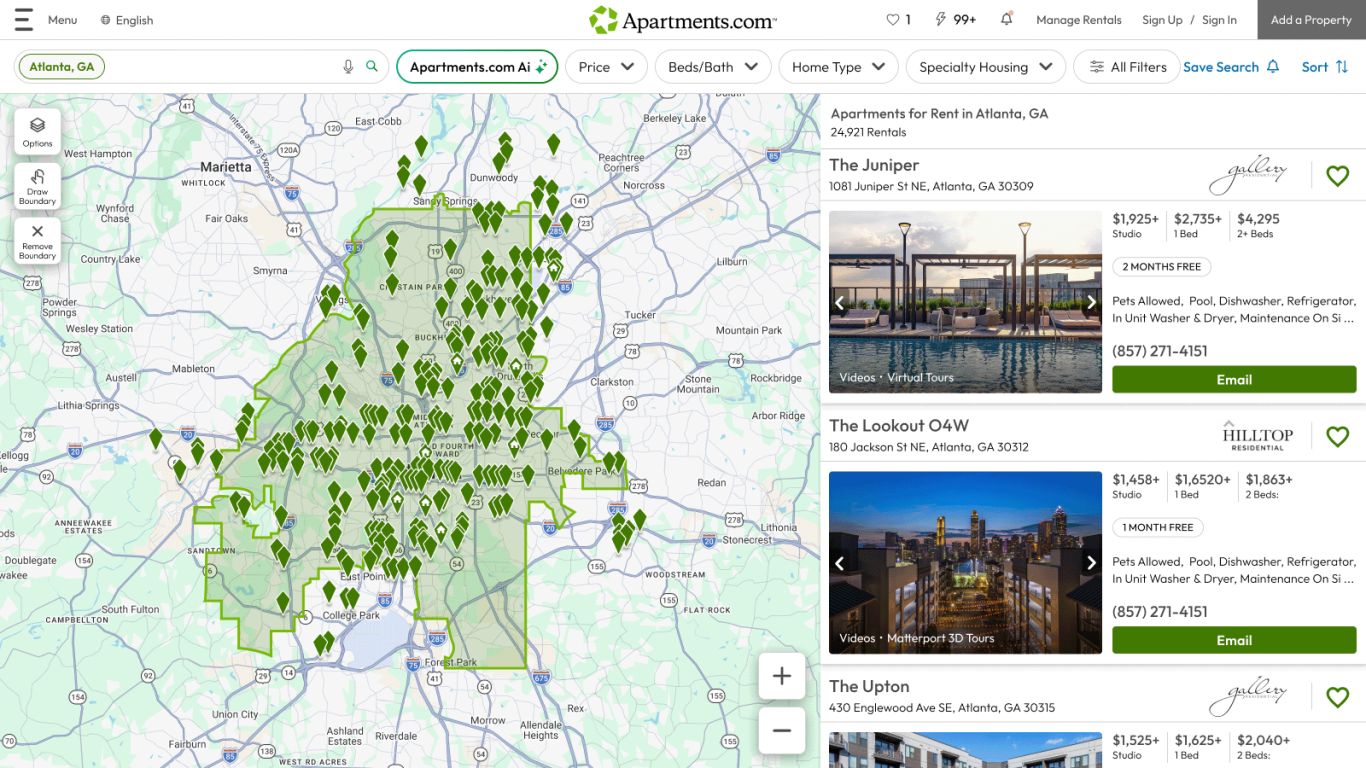
Activate Apartments.com Ai by clicking the “Apartments.com Ai” button on the home page or search results page. This will pull up a chat feature where you can interact with the Ai agent to conduct searches across multiple cities or neighborhoods, filter for specific amenities and features, and ask questions about listings or neighborhoods, all while typing or speaking naturally. Apartments.com Ai will interpret and execute your request by applying your specifications as filters, making your rental search faster, easier, and more intuitive.
Search smarter
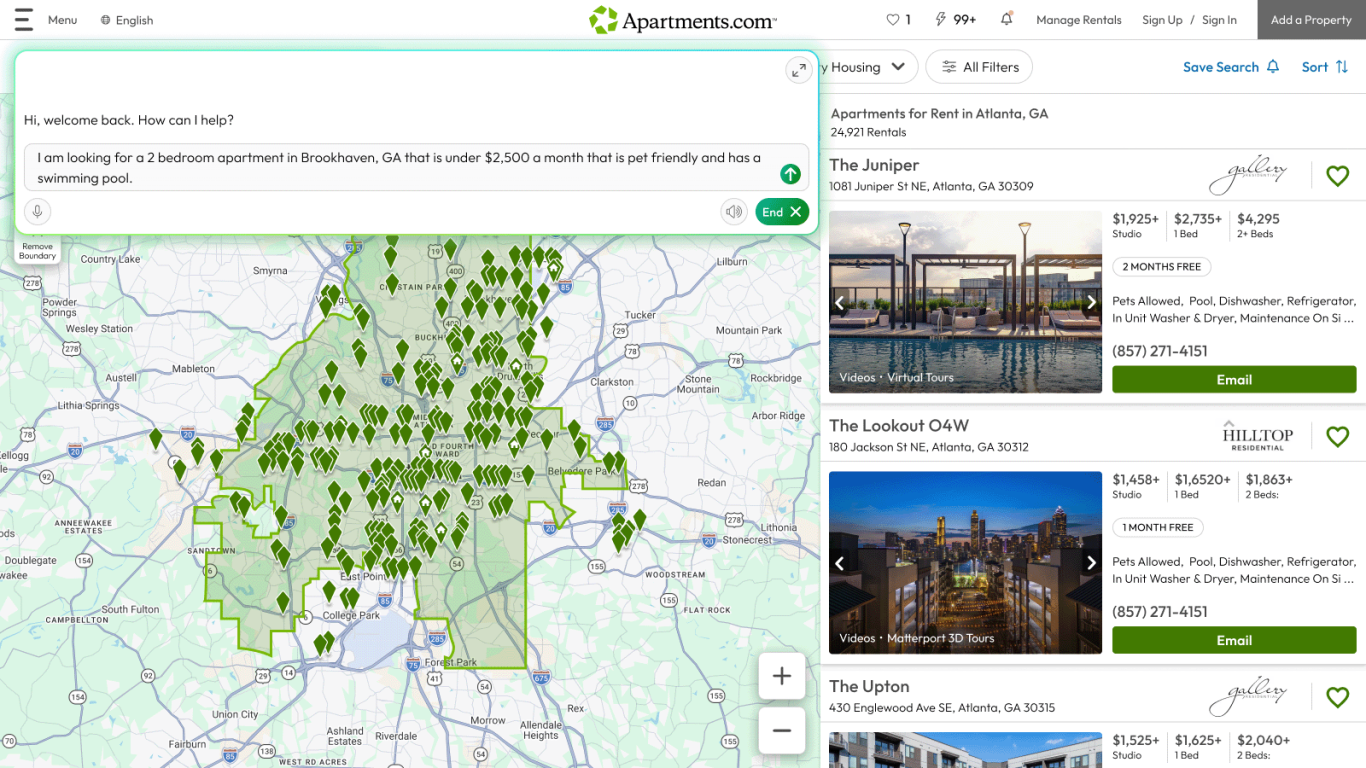
To search for a rental with Apartments.com Ai, you can say something like “I’m looking for a 2-bedroom apartment in Brookhaven, GA under $2,500 a month.” Add more parameters to your search by typing or speaking the features you want.
Apartments.com Ai understands the flow of natural language and can interpret your intent based on context. If you say something like, “Actually, bump up the price to $2,700,” or “I want a fitness center, too,” Apartments.com Ai will adjust your search accordingly.
Navigate through results
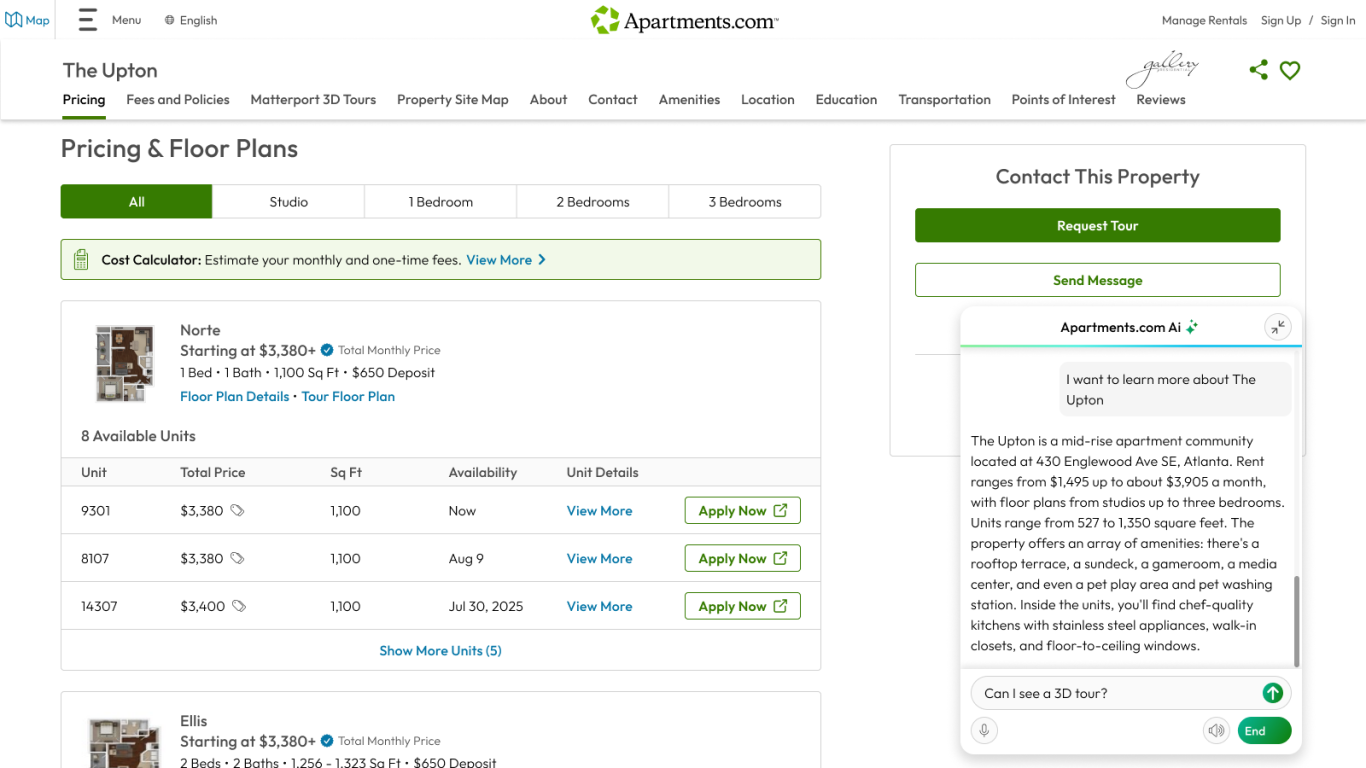
You can use Apartments.com Ai to navigate through search results. Say things like “Show photos of the pools” or “Take me to the second listing.” When exploring a property listing, you can say things like “Tell me the highlights of this property,” or “What do residents think of this property?” and Apartments.com Ai will synthesize the information in the listing and renter reviews to give you quick answers. Ask about specific property information like unit availability, the pet policy, and required fees to get straightforward, easily understandable answers.
View Matterport 3D tours
Apartments.com Ai can help you navigate through Matterport 3D tours, too. When exploring a property listing, jump to the 3D tours by saying something like “Show me the 3D tour of a 1-bedroom unit,” or “Take me to the 3D tour of the clubhouse.”
Walk through 3D tours hands-free with commands like, “Take me to the kitchen,” “Show me the balcony,” or even “Defurnish the bedroom.” Apartments.com Ai can also answer specific questions like, “What material are the countertops?” or “What are the dimensions of the living room?”
Make informed decisions
Use Apartments.com Ai to learn about the surrounding area and decide whether it fits your needs. Say things like, “Tell me about the neighborhood” or “How close is the nearest bus stop?” or ask more detailed questions like, “What elementary school would my 7-year-old attend if we lived here?” Ask Apartments.com Ai to compare two properties to narrow down your options, then send a message when you’re ready to book a tour or apply.
Searching for a new place can feel overwhelming, but Apartments.com Ai simplifies the experience. Tailor search results to find a place that fits your needs, get instant answers in a digestible format, and compare your options to make an informed decision, all with a personalized rental advisor.
This article was originally published on January 30, 2026.


